Risepoint
TEAM
Growth Marketing and User Experience
Sara Kim • Ben Kaufman • Daniel Martinez • Miles McFarland• Ken Robinson
Torrie Foster • Amy Streety
PROJECT DURATION
January 2024 - January 2025
MY ROLE
Product Designer
TOOLS
Figma, Adobe XD, Wrike, Bugherd, Microsoft Teams,
Zoom, Confluence, Jira
TLDR:
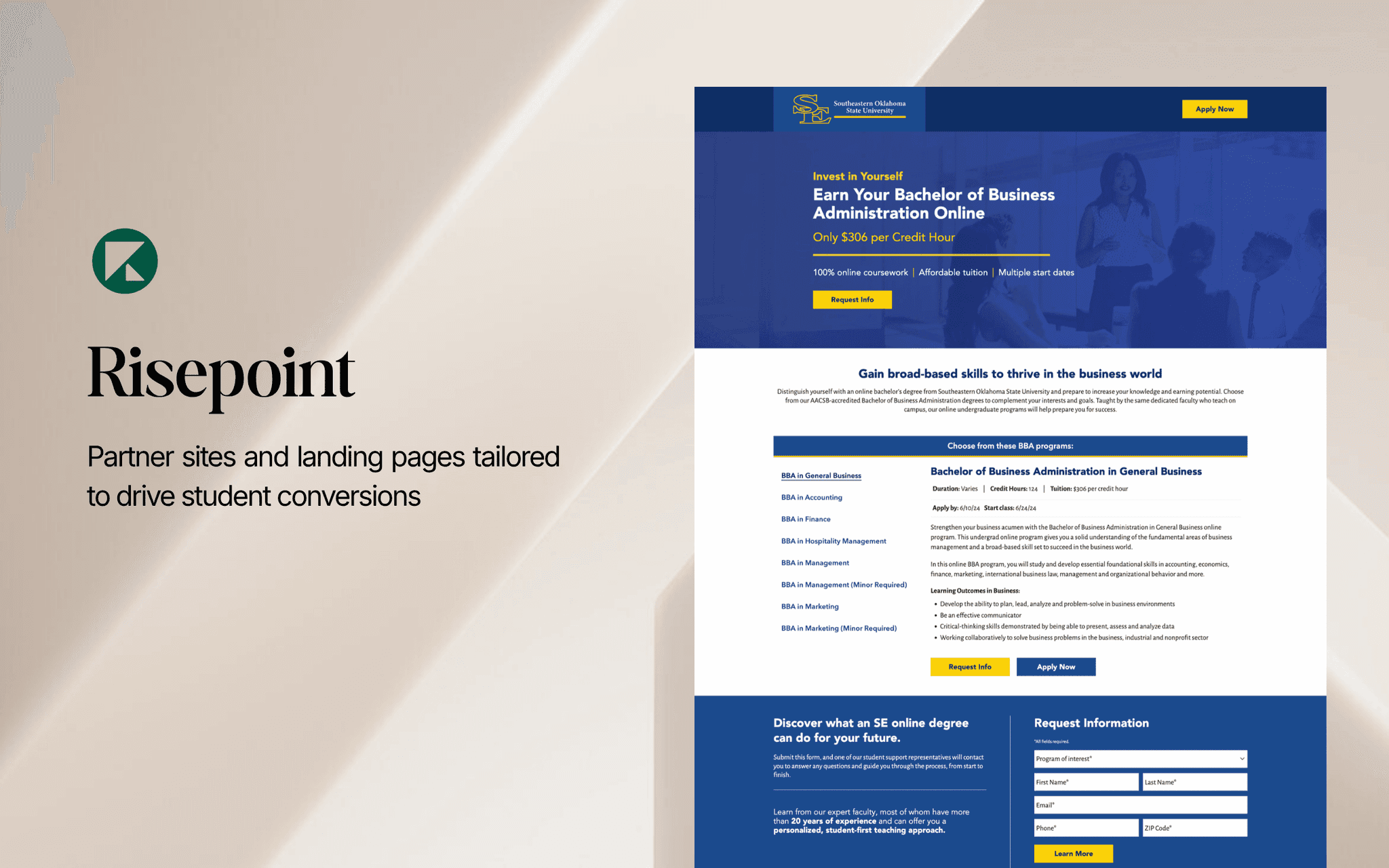
Optimizing student enrollment experiences by designing and testing partner site and landing page features to drive conversions for workforce-focused online programs.
IMPACT HIGHLIGHTS
51% lift in conversions across partner university sites
$10K–$3.8M in annual incremental revenue driven by UX optimizations
Contributed to A/B testing and design iterations that enhanced landing page performance
Aligned navigation and UI with merged design system during acquisition
→ Project Overview
Risepoint is an education technology company partnering with over 125 regional public and private universities to expand access to affordable, workforce-relevant online programs. By helping universities reach new students, increase enrollments, and meet workforce needs, Risepoint aims to make high-quality education more accessible and deliver a strong return on investment for students.
As a UX Designer, I focused on testing new features, hypotheses, and ideas for partner sites and landing pages. I conducted user testing to evaluate their effectiveness and implemented findings to optimize the enrollment experience and drive student conversions.
Problem Statement
•
As higher education increasingly shifts online, universities face growing pressure to effectively engage and enroll prospective students. This change has opened the door for more flexible and career-aligned learning experiences, particularly for working adults who want to upskill or reskill without putting their professional lives on hold.
However, while the demand for online programs continues to grow, many university websites struggle to translate interest into action. Despite offering high-value, workforce-focused programs, institutions often face challenges such as:
Low website conversion rates
Ineffective user flows that lead to high bounce or drop-off
Unclear or inconsistent calls to action
These barriers hinder enrollment growth and limit the impact of otherwise compelling programs. At Risepoint, the growth marketing and UX team worked to bridge this gap by identifying and removing friction points across partner university sites, ultimately improving both conversions and the overall digital experience for prospective students.
How might we optimize the conversion process on university websites to reduce friction and guide prospective students to take meaningful actions, such as starting an application or requesting more information?
Tackling the Problem
•
01 CONVERSION PATH OPTIMIZATION
We focused on reducing friction in the user’s journey from landing to action. This involved redesigning the hero section to highlight clear calls to action and relevant content, and streamlining form layouts to reduce cognitive load and boost submission rates.
We also redesigned the area directory to make it easier for users to find region-specific programs and contact information quickly.
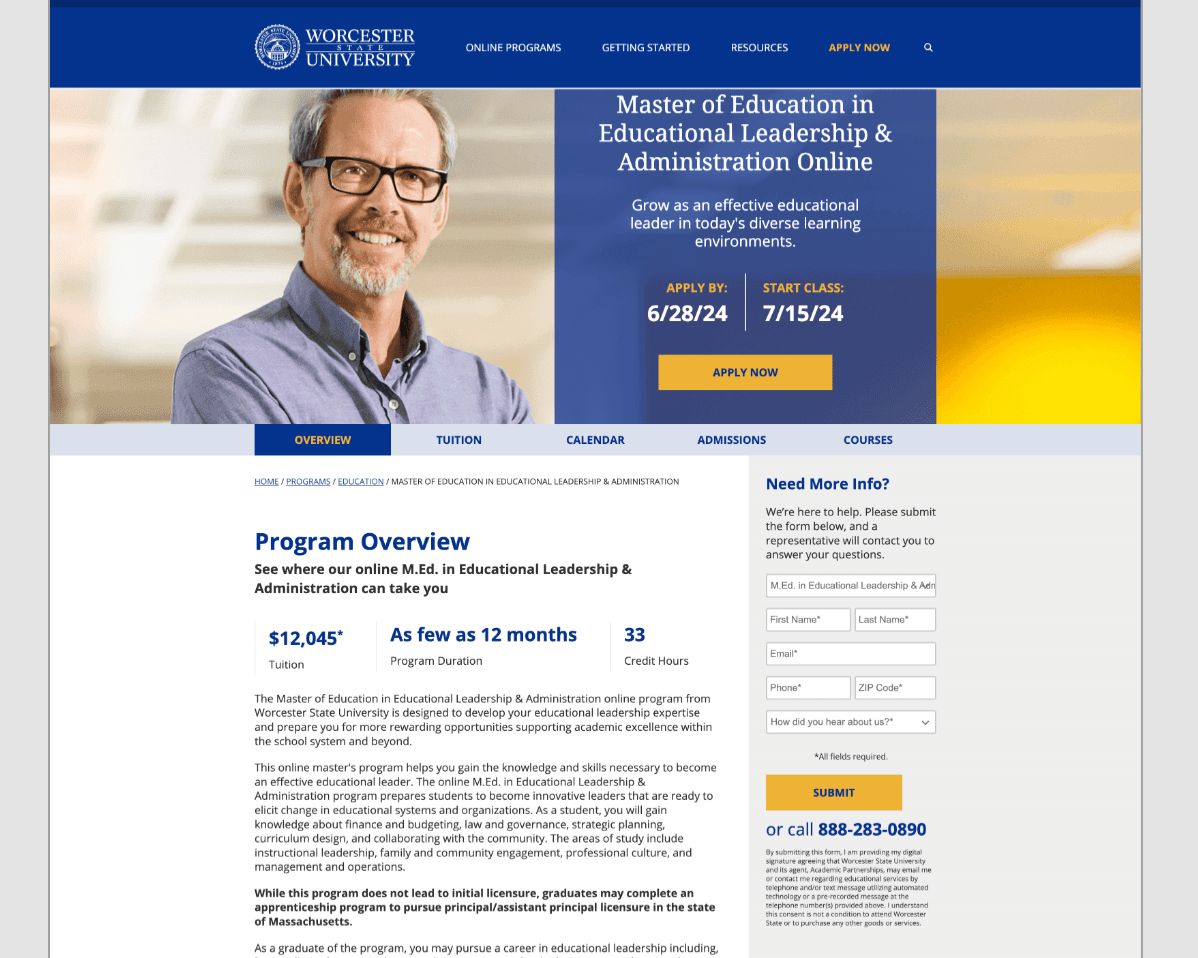
Design A
Single CTA in Hero
A streamlined layout with one clear call-to-action button. This approach focused on simplicity and minimizing distractions, guiding users directly toward the next step.
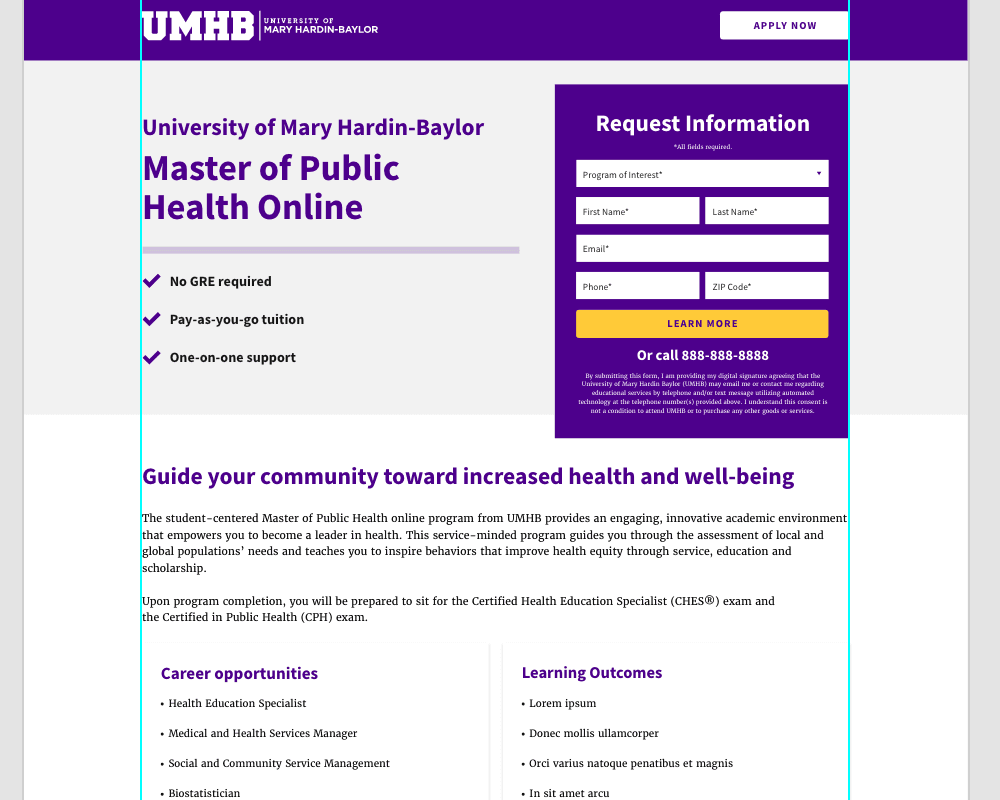
Design B
Form Directly in Hero
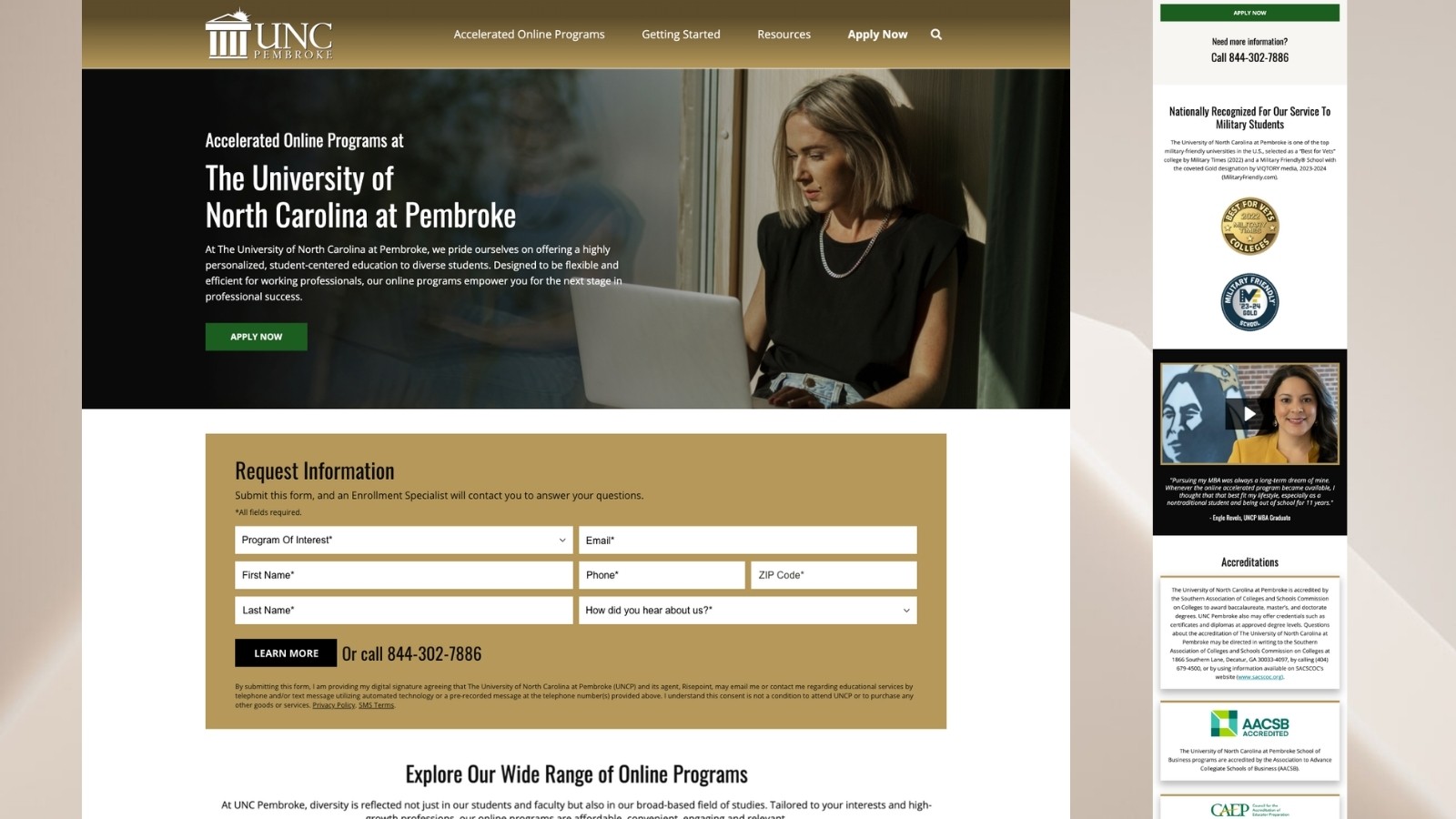
An action-oriented design that placed the request form at the top of the page. The intent was to encourage immediate engagement and reduce the steps required to submit information.
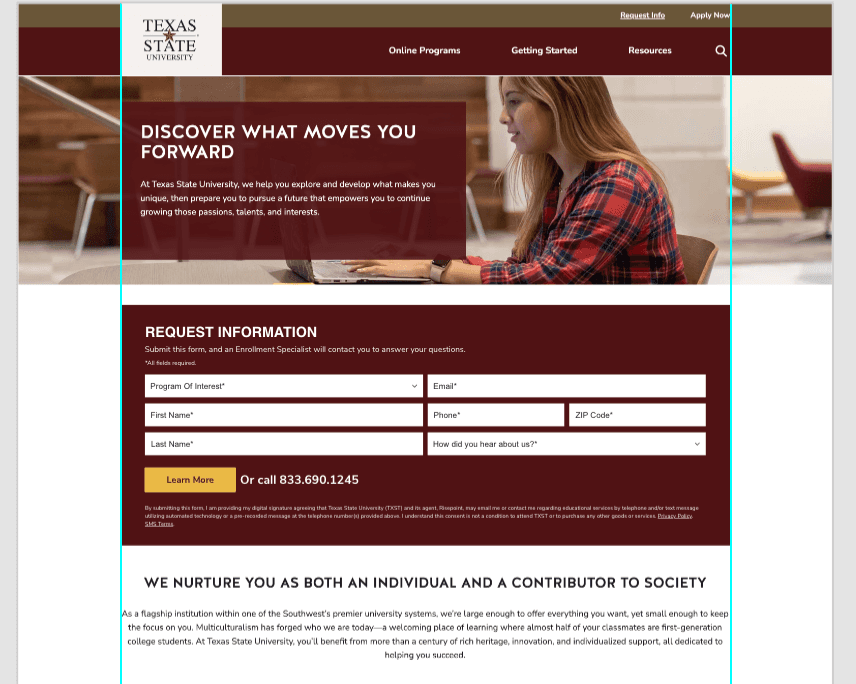
Design C
Hero Image with Form Below
This variation highlighted university brand imagery in the hero while placing the form directly beneath. The intent was to reinforce credibility and identity while keeping the form immediately accessible, without requiring an extra click or pop-up.
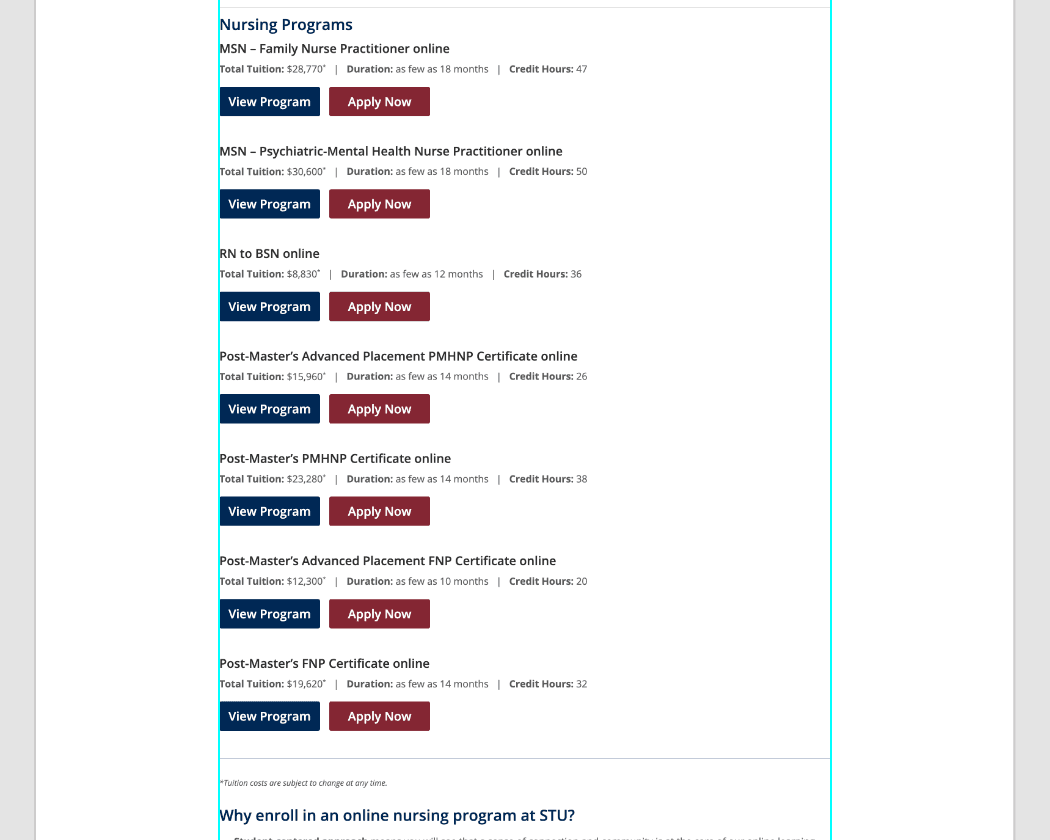
Before - Area Directory - List View
Programs were listed in a basic stacked format with minimal supporting information. Users had to click into each program to understand its value, creating unnecessary friction in the decision process.
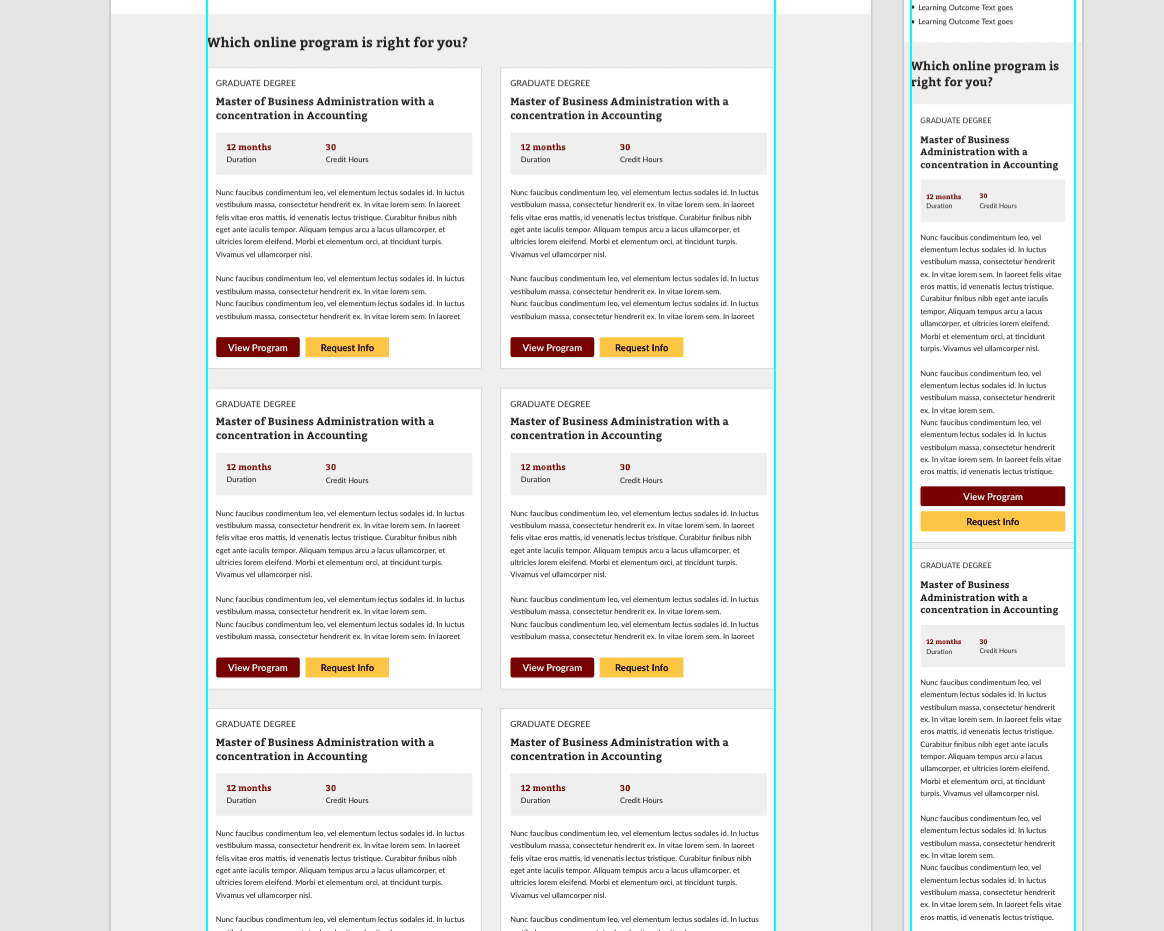
After - Area Directory - Card View
The redesigned card layout highlights key program details and descriptions upfront, making it easier for users to compare and take action without needing to leave the page.
02 PERSONALIZED & CONTEXTUAL UI
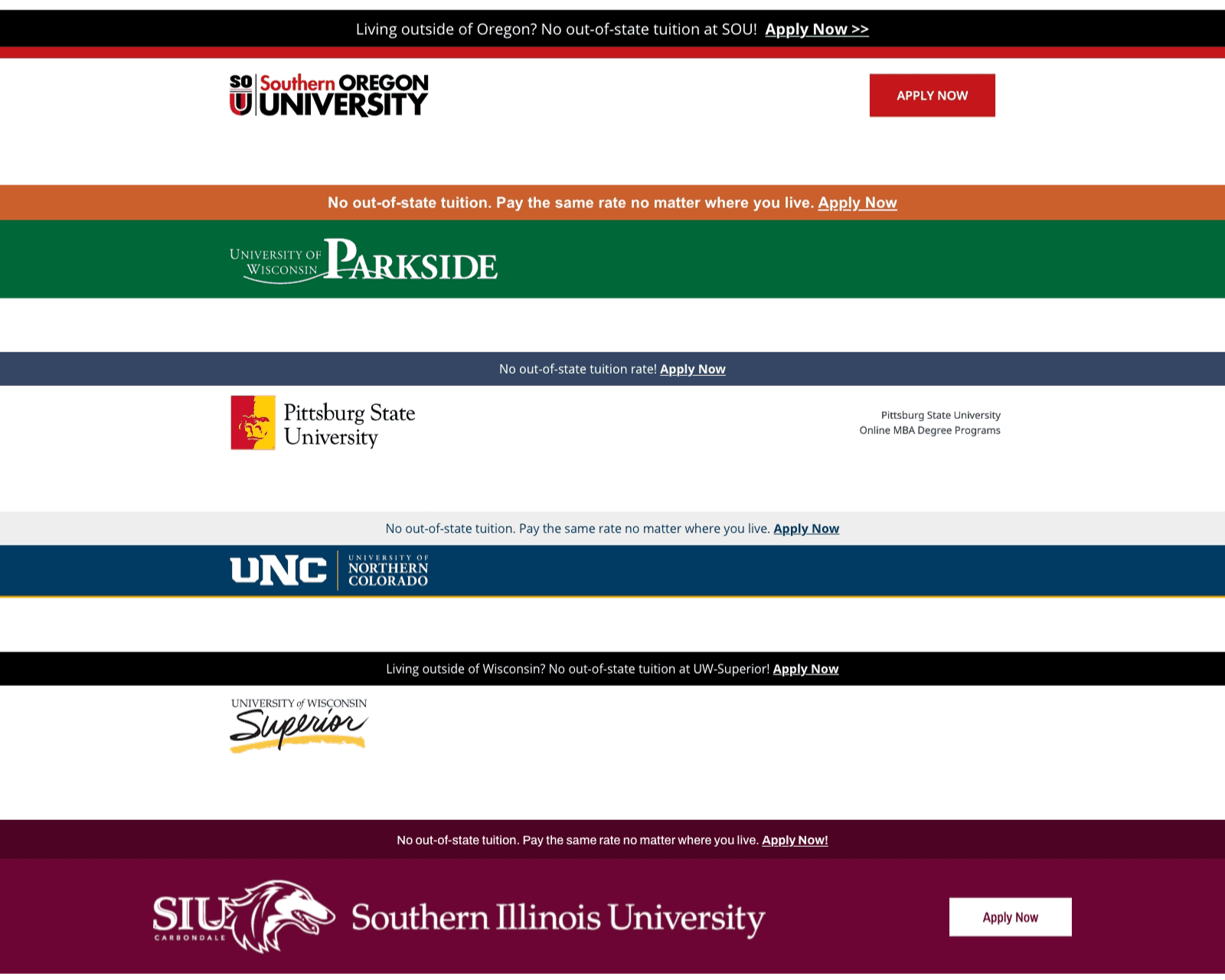
To better reach specific regional and demographic audiences, we introduced personalized school banners and updated on-page copy to align with local context, language, and tone. This strategy helped increase engagement with program content and captured interest from users in key target areas.
03 ENHANCED SUPPORT
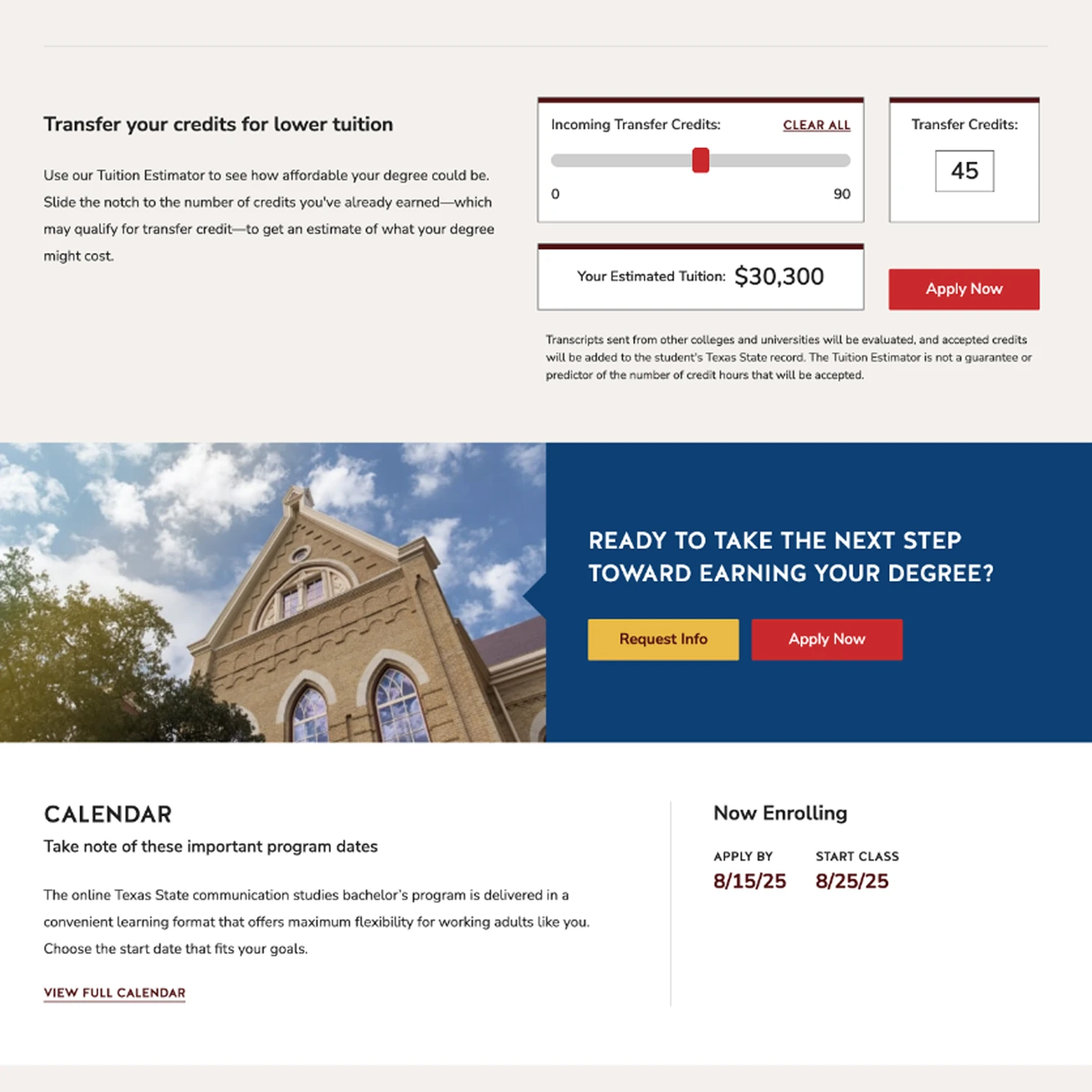
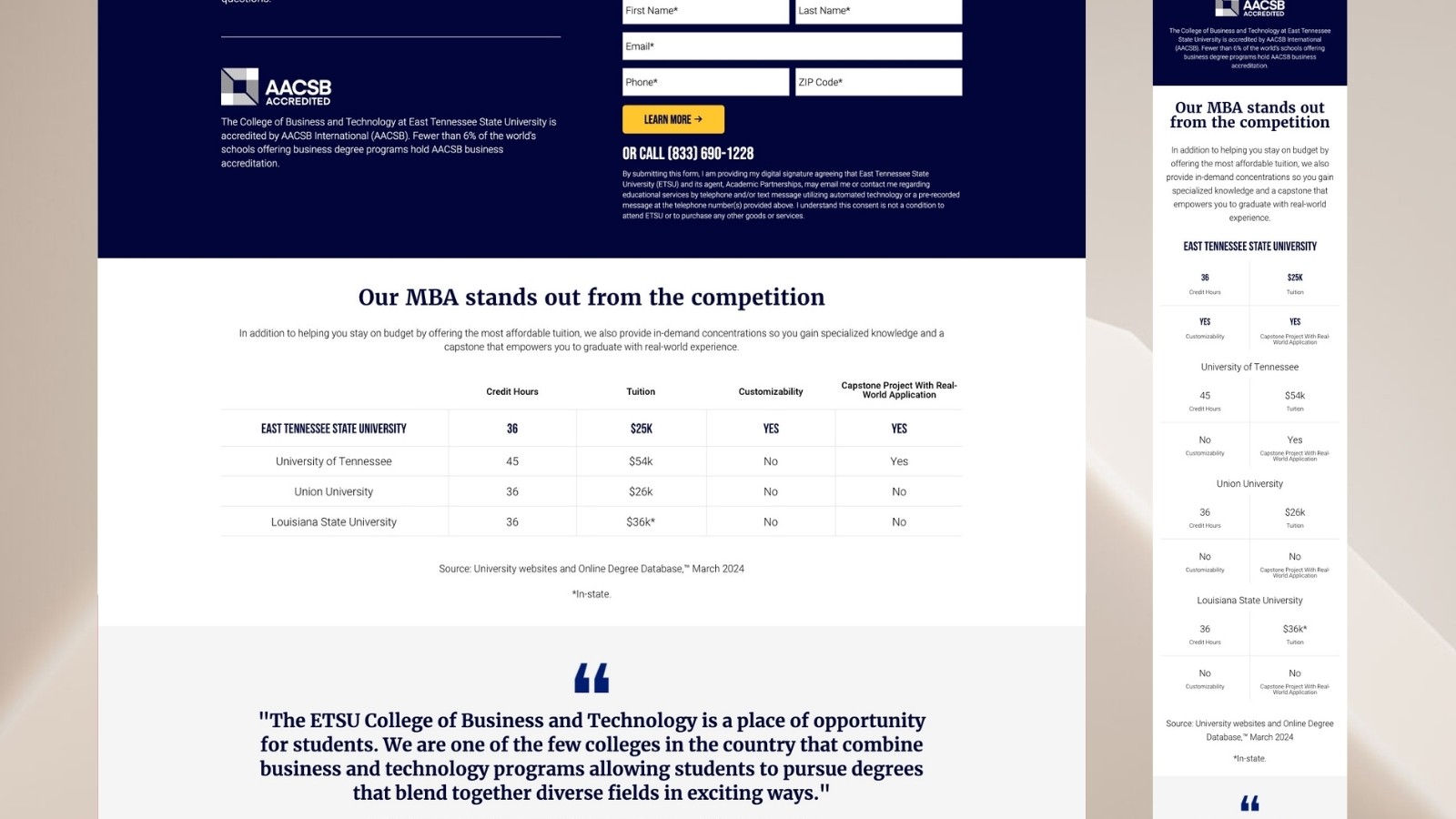
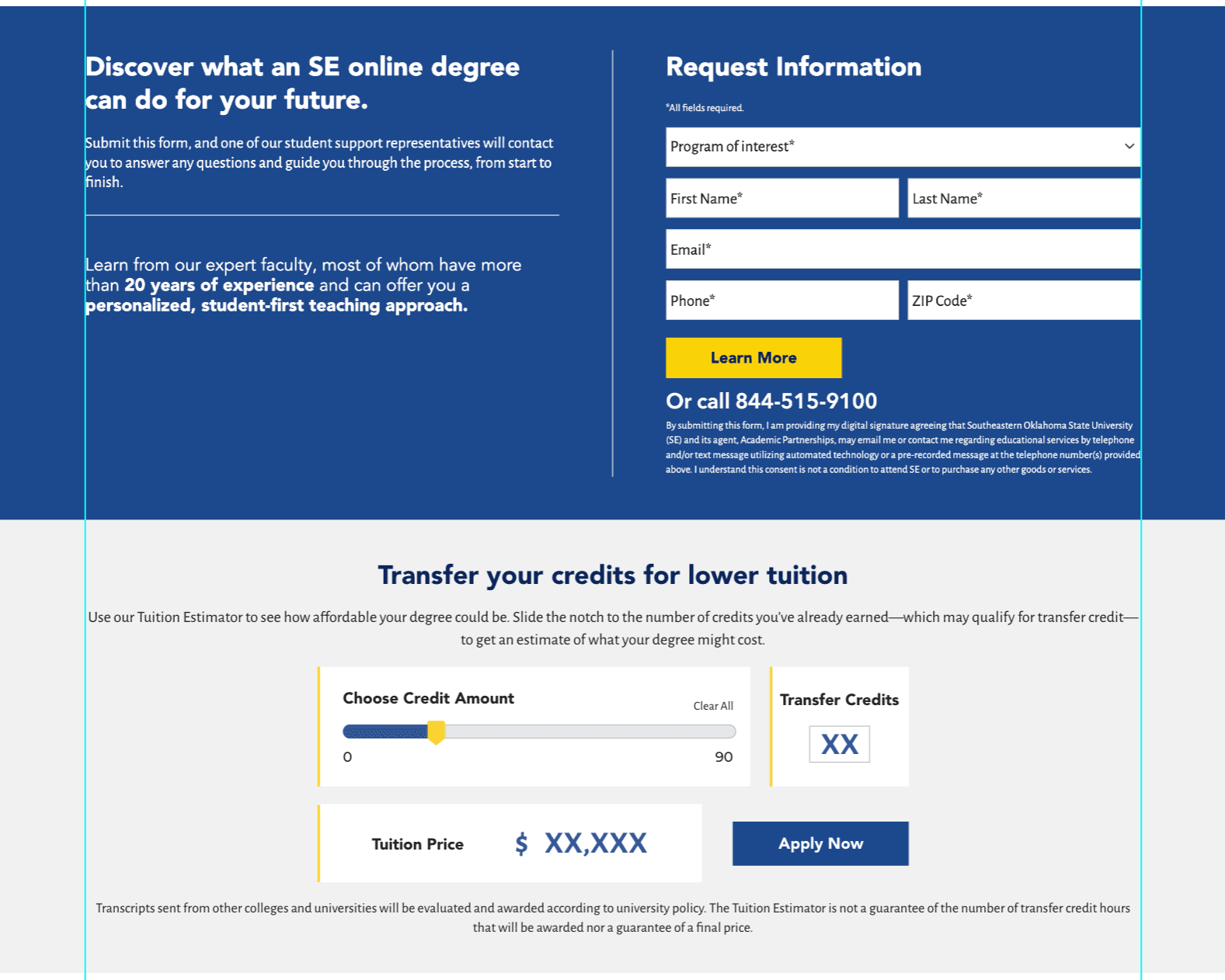
Understanding that prospective students often feel overwhelmed during the decision-making process, we added Student Support features such as a tuition calculator and visual comparison charts to help users explore costs and benefits across programs.
01
DISCOVER
Getting started…
UNDERSTANDING STUDENT ENROLLMENT & CONVERSION JOURNEY
To ensure we created solutions that would increase conversions, we worked closely with the CRO manager to identify key pain points and review A/B test results. This helped us pinpoint where students were dropping off and which features needed improvement.
We also participated in regular meetings through Teams and Zoom to review conversion rates and feedback from the CRO team, using their insights to iterate and refine our design ideas. This close collaboration helped us make data-driven decisions, ensuring our solutions would directly impact the user journey.
Refining key features...
DRIVING ENGAGEMENT
With a clearer understanding of the challenges prospective students were facing, we focused on optimizing the features that could have the most significant impact. By aligning our efforts with the insights gathered, we prioritized the following key areas:
Simplifying the application process: Streamlining form placements and reducing friction points.
Tuition calculator: Allowing users to easily estimate costs and make informed decisions.
Regionalized banners: Tailoring content to specific target audiences for increased relevance and engagement.
These core features were designed to enhance usability and increase engagement, ultimately supporting higher conversions.
02
IDEATE AND DESIGN
Bringing ideas to life...
EXPLORING DESIGN SOLUTIONS TO DRIVE CONVERSIONS
Guided by CRO insights and user feedback, I worked on both iterative improvements and full redesigns of key pages to optimize the user experience and drive conversions. By focusing on high-impact elements and addressing complex usability issues, we were able to test new ideas quickly while also reimagining entire sections when necessary.
Key areas of design focus:
Hero sections: Reworking layout, CTA placement, and messaging to improve user engagement
Forms: Simplifying form structures to reduce friction and boost submission rates
Localized banners and copy: Personalizing content to cater to regional and demographic audiences
Support tools: Redesigning interactive tools like tuition calculators and comparison charts for better decision support
Additional Areas of design focus:
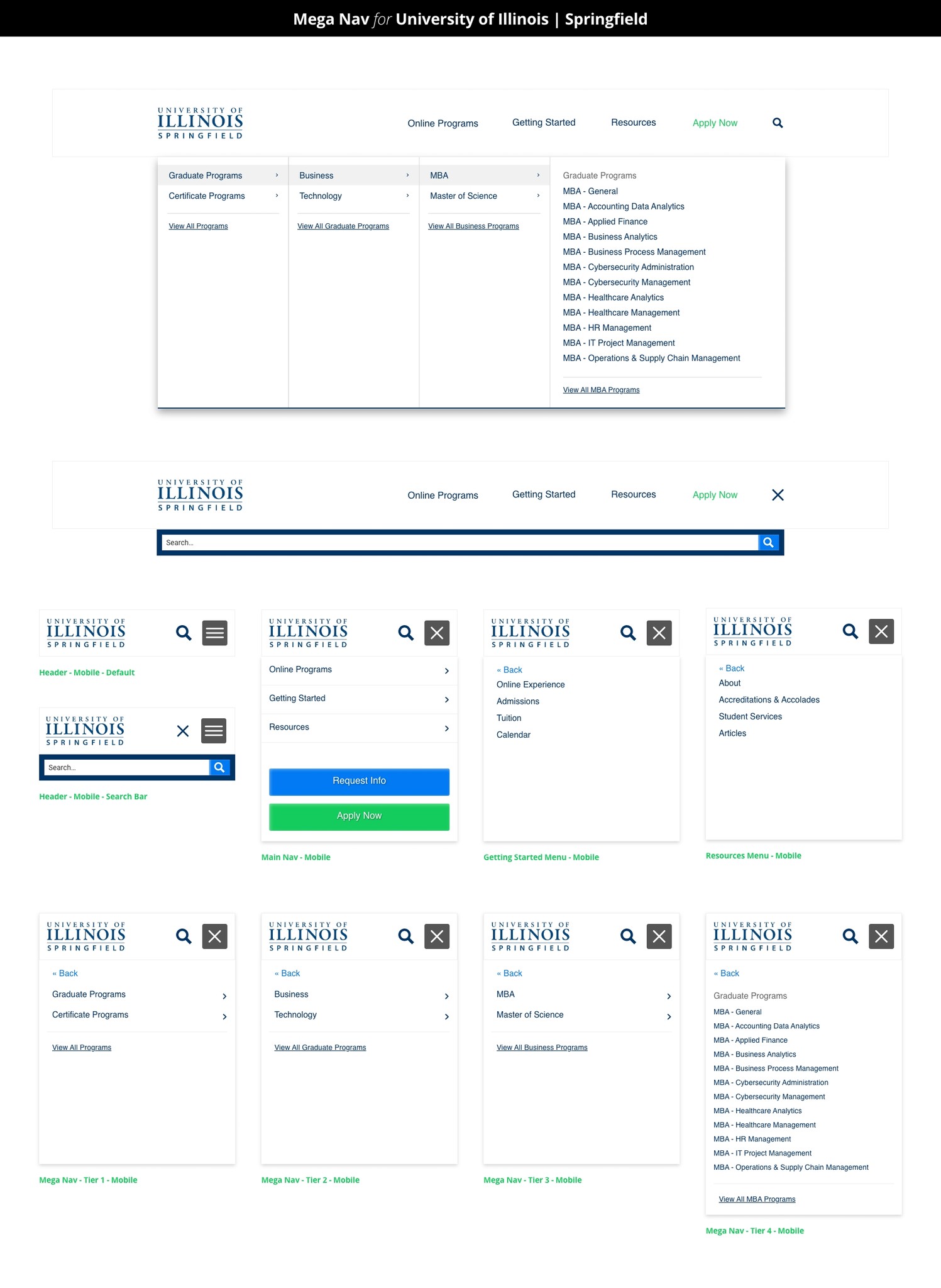
Navigation improvements: Reorganized the site’s navigation to better match how students search for key resources, making the overall experience more intuitive and easier to navigate
Design system transition: Adapted parts of the interface to align with the acquired company’s design system and visual style, creating a cohesive experience across merged platforms
Through a mix of quick iterations and full-page redesigns, we were able to create a seamless, user-centered experience that directly contributed to improved conversion rates across several partner sites.
03
TEST SYNTHESIS AND FINAL RESULTS
Refining the design based on data...
FINALIZING THE DESIGN WITH CRO INSIGHTS
After several months of testing, we gathered enough data to assess the performance of various design elements across partner sites. Collaborating with the CRO manager, we examined the features to pinpoint the successful ones and those that underperformed. While some strategies were universally effective, others had varying success depending on the unique needs and audiences of each university.
Key Takeaways from the Tests:
Successful Features: Core elements, like simplified CTAs and personalized banners, were consistently effective in improving engagement and conversion rates across most universities.
Variable Success: Certain features, such as form layouts or banner placements, showed mixed results across partner sites. For example, a more prominent CTA worked for one university, while another saw better results with a subtler, less-cluttered approach.
Tailored Refinements: Based on these insights, we iterated on design elements to better align with each university’s unique needs, adjusting placements, messaging, and interactions accordingly.
Hypothesis: If we make the Continue Application button more prominent, then more users will click on it because it is presented as the next logical step.
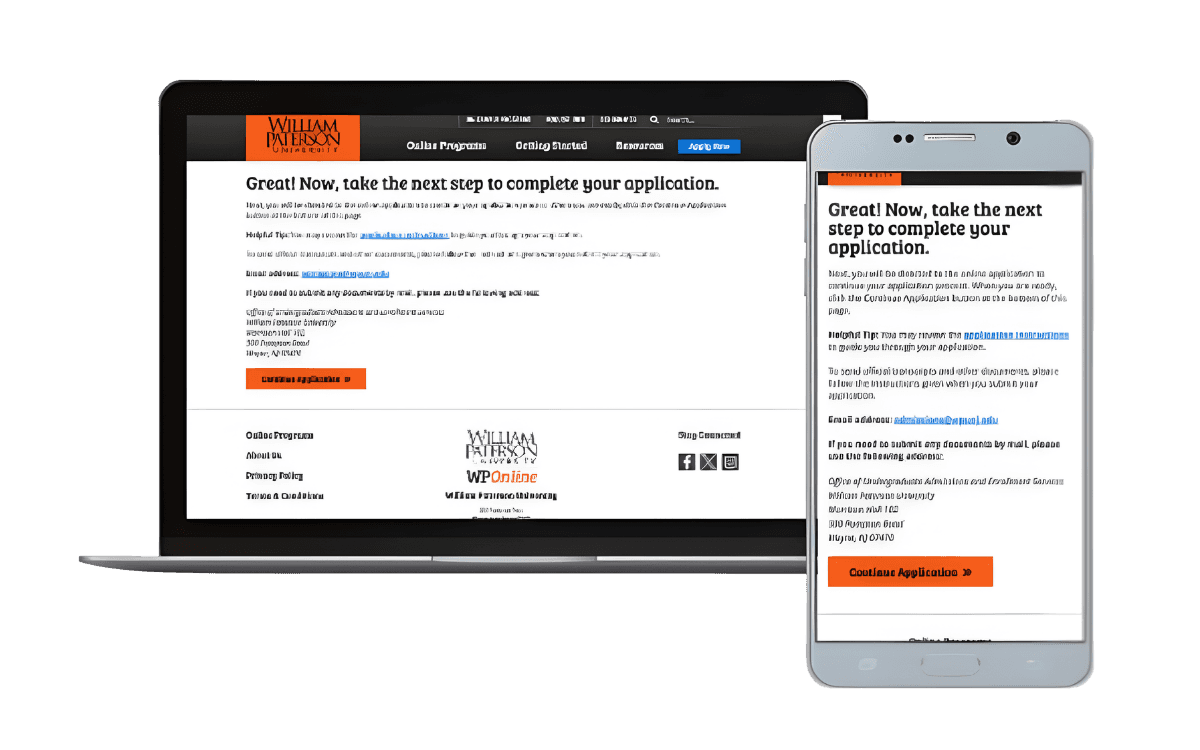
Control - WP - Apply CTA Location
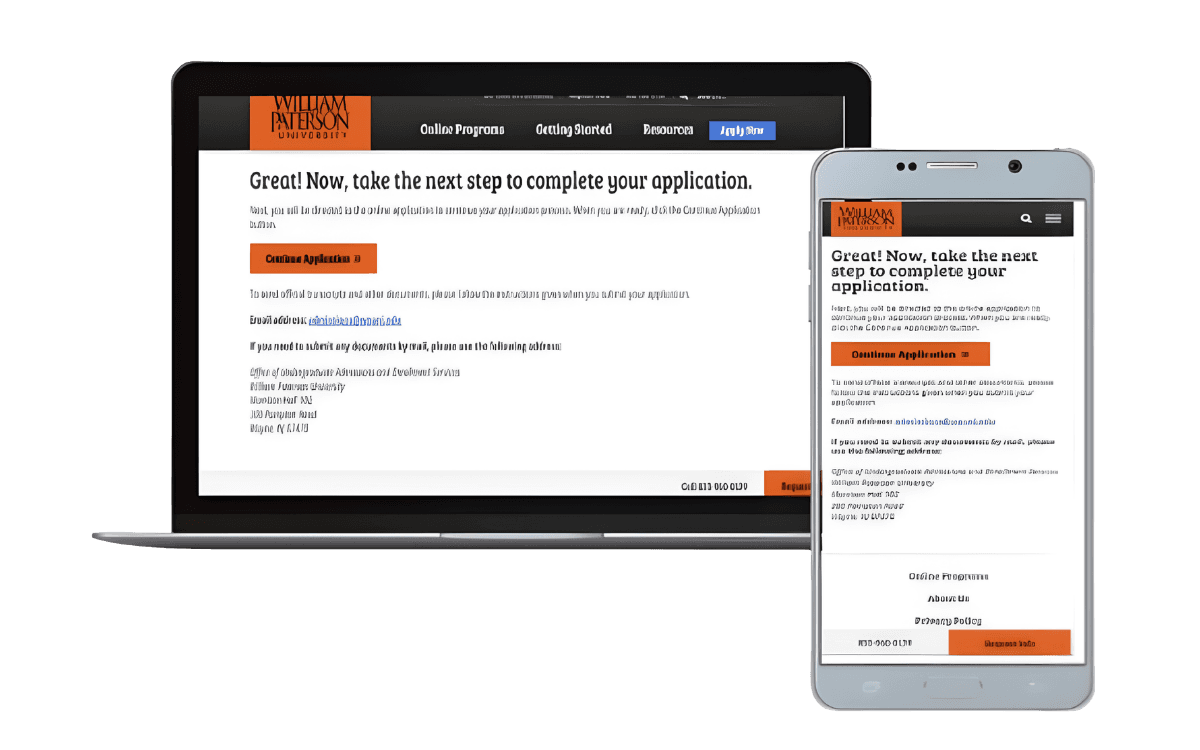
Variation - WP - Apply CTA Location
Results: Moving the CTA to the top of the page greatly increased the number of clicks on all device types to the Continue Application page on the partner's website with 99% statistical significance and > 99% strength.
Total Conversion Rate Increase: 39.55%, 2,588 bps, 99% stat sig
Annualized Incremental Revenue: $3,856,208*
Source: Intellimize.
Hypothesis: If we change out the SAP section to be a more minimal show/hide section as with our other LPs, it will increase conversions because most MBA seekers are most interested in the types of MBAs available rather than seeing the full medium description.
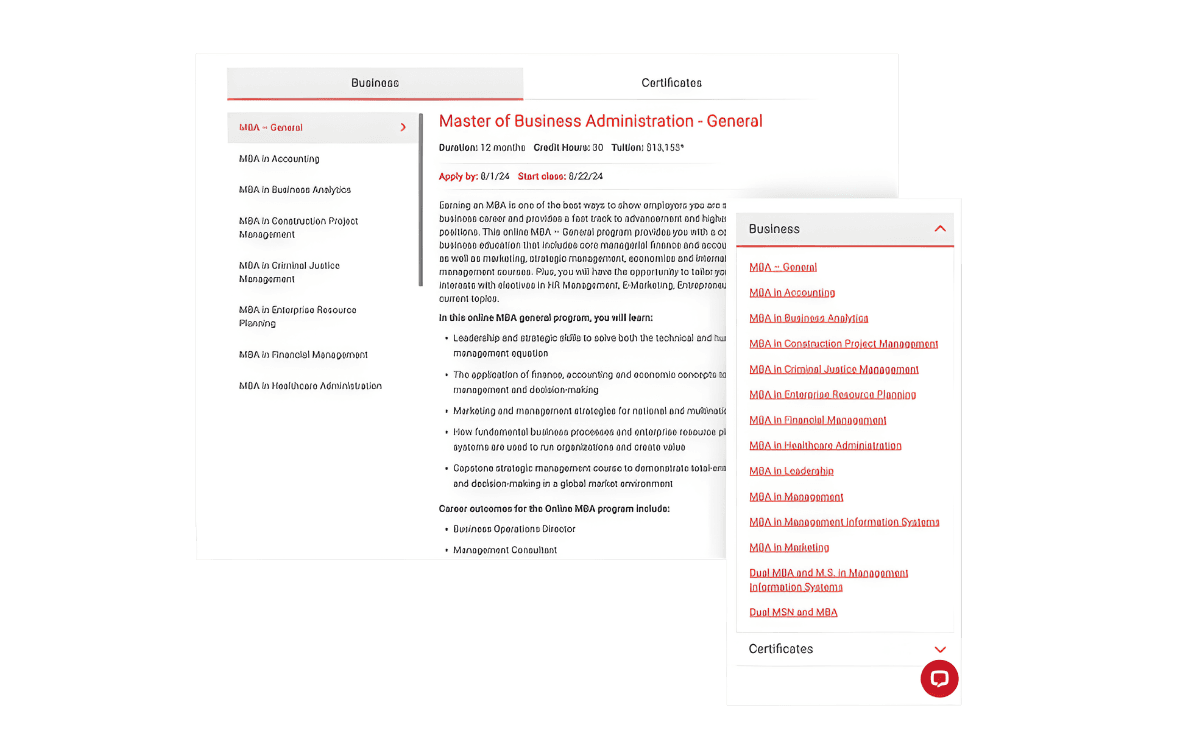
Control - Lamar - Program Directory vs. Landing Page
Visits: 581
Conversion Rate: 3.61% (21)
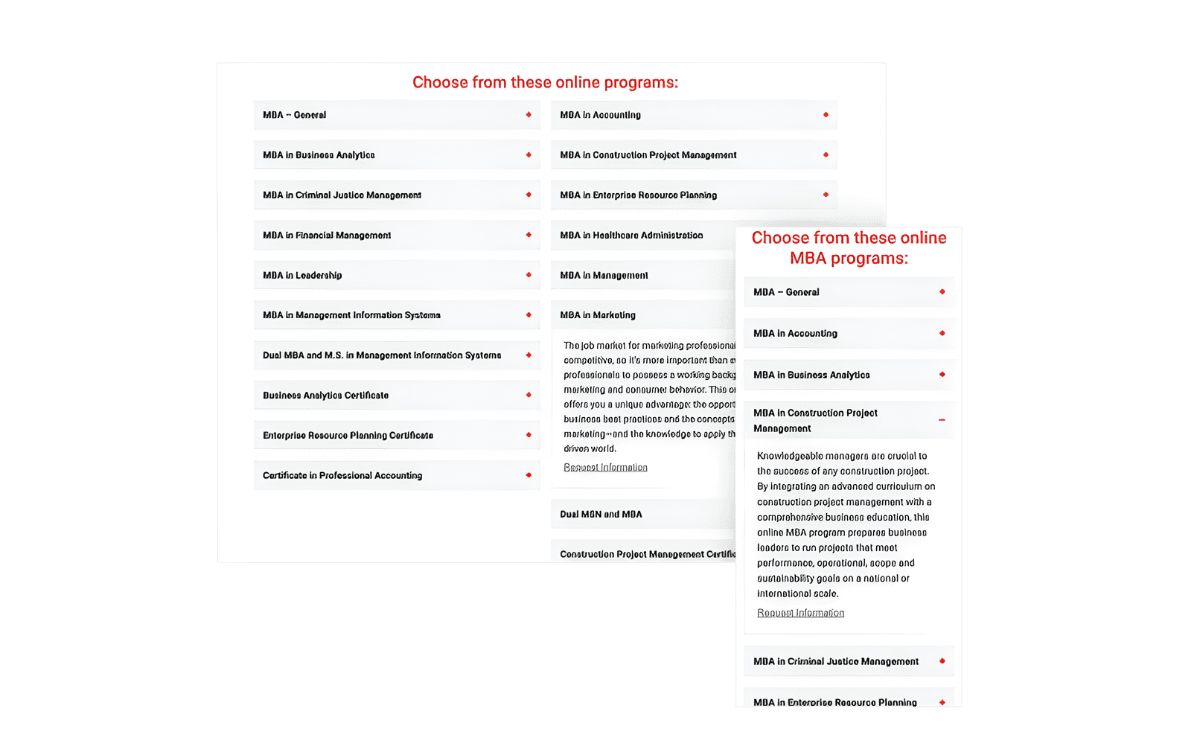
Variation - Lamar - Program Directory vs. Landing Page
Visits: 1,463
Conversion Rate: 7.52% (110)
Results: The landing page layout consistently outperformed the SAP layout for both mobile and desktop audiences as well as for both paid search and paid social. The variation especially increased the Request Info form fills.
Total Conversion Rate Increase: 51.93%, 390 bps, 99% stat sig
Annualized Incremental Revenue: $617, 758
Source: Intellimize.
Hypothesis: If we add a competitive grid to the single degree Respiratory Therapy page, then users with be more enticed to fill out the form because they can be more confident in selecting this school over its competitors.
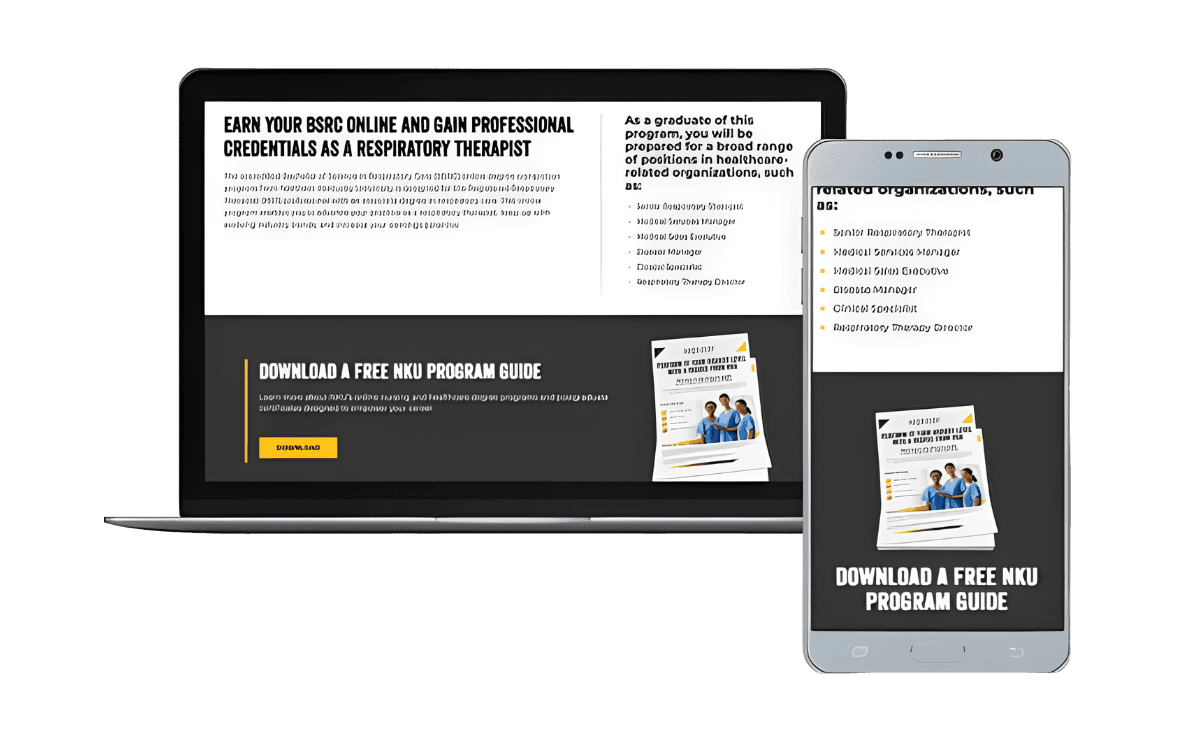
Control - NKU - Competitive Grid
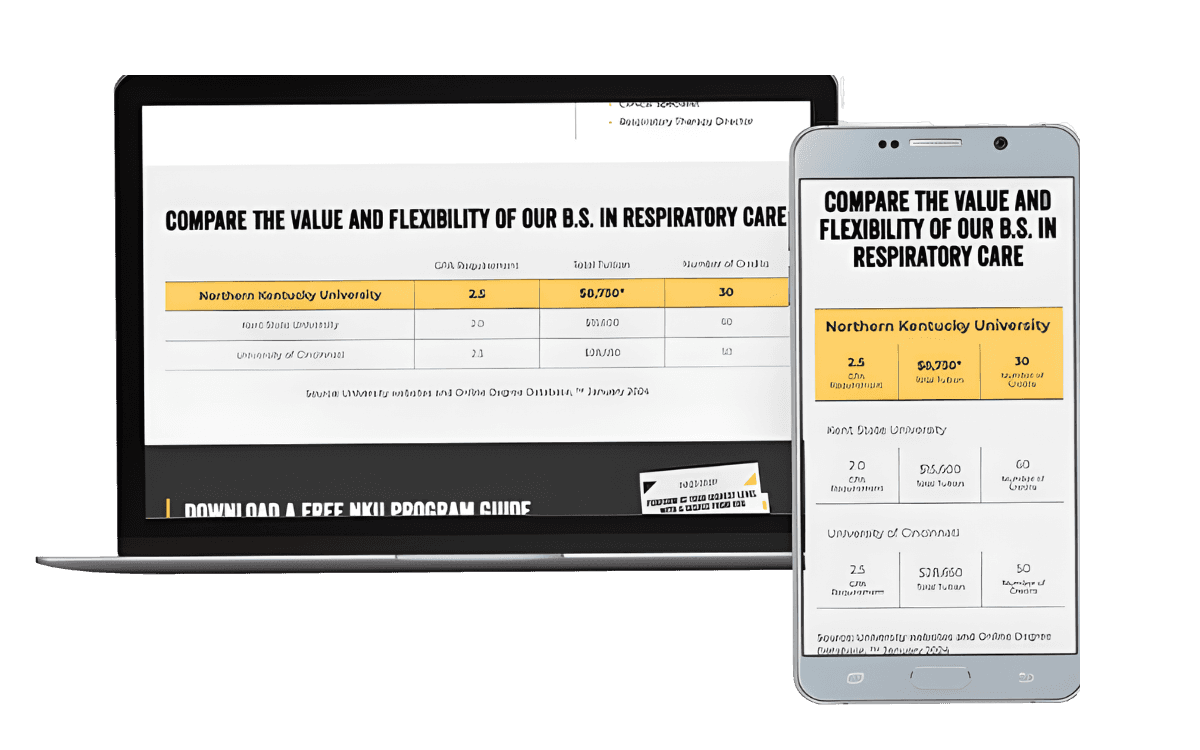
Variation - NKU - Competitive Grid
Results: The variation won out over the control with 99% stat sig. It performed especially well for mobile audiences and paid search.
Total Conversion Rate Increase: 31.88%, 389bps, 99% stat sig
Annualized Incremental Revenue: $10,135
Source: Intellimize.
→ Result & Impact
Conversion Rate Increase: Achieved up to 51% improvement in conversion rates across partner sites, leading to increased engagement and successful enrollments.
Revenue Growth: Contributed to annual incremental revenue growth ranging from $10K to $3.8M for universities by optimizing the user experience.
Streamlined User Journey: Reduced friction points in the enrollment process, helping users more easily navigate from landing pages to applications or inquiries.
04
REFLECTION
Looking back...
NAVIGATING CHALLENGES AND LEARNING OPPORTUNITIES
Working at Risepoint was my most demanding professional environment to date. Collaborating across multiple time zones with a primarily East Coast team required me to be intentional about communication and availability in a way I hadn't had to be before. The team was accommodating and made it work, but it pushed me to become much more structured about async updates and meeting prep.
The merger midway through the year added a layer of complexity that was harder to anticipate. Workflows changed quickly, new software came in, and the team dynamics shifted as colleagues from the acquired company joined. What helped was that I was already familiar with some of the incoming tools, which let me get up to speed faster than most and focus on keeping my projects moving rather than getting stuck in the transition.
KEY LESSONS LEARNED
Structure matters more in distributed teams. Working across time zones taught me that clear documentation and proactive communication are what keep projects from stalling when you can't just tap someone on the shoulder.
WHAT I'D DO DIFFERENTLY
More upfront time learning the new systems before the merger fully landed would have made the transition smoother. I adapted quickly, but getting ahead of it earlier would have let me spend more energy on the design work itself rather than the logistics of switching tools mid-project.
NEXT STEPS & IMPACT
Some of the A/B tests I designed were still running when I transitioned off the project. The conversion and revenue results we saw during my time there suggest the design decisions were sound, and I'd be curious to see how continued iteration on those patterns performed for the universities long term.
→ Live Sites
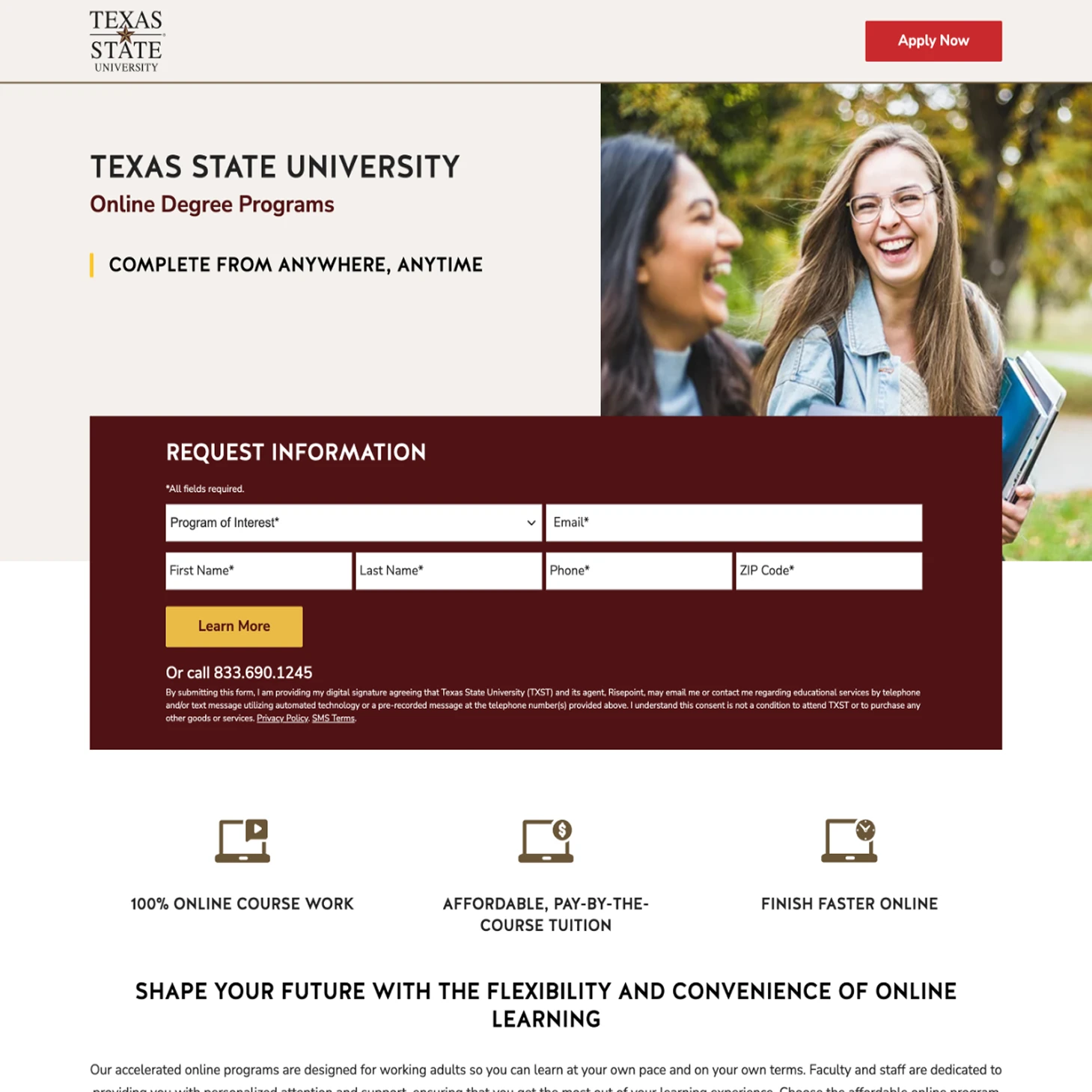
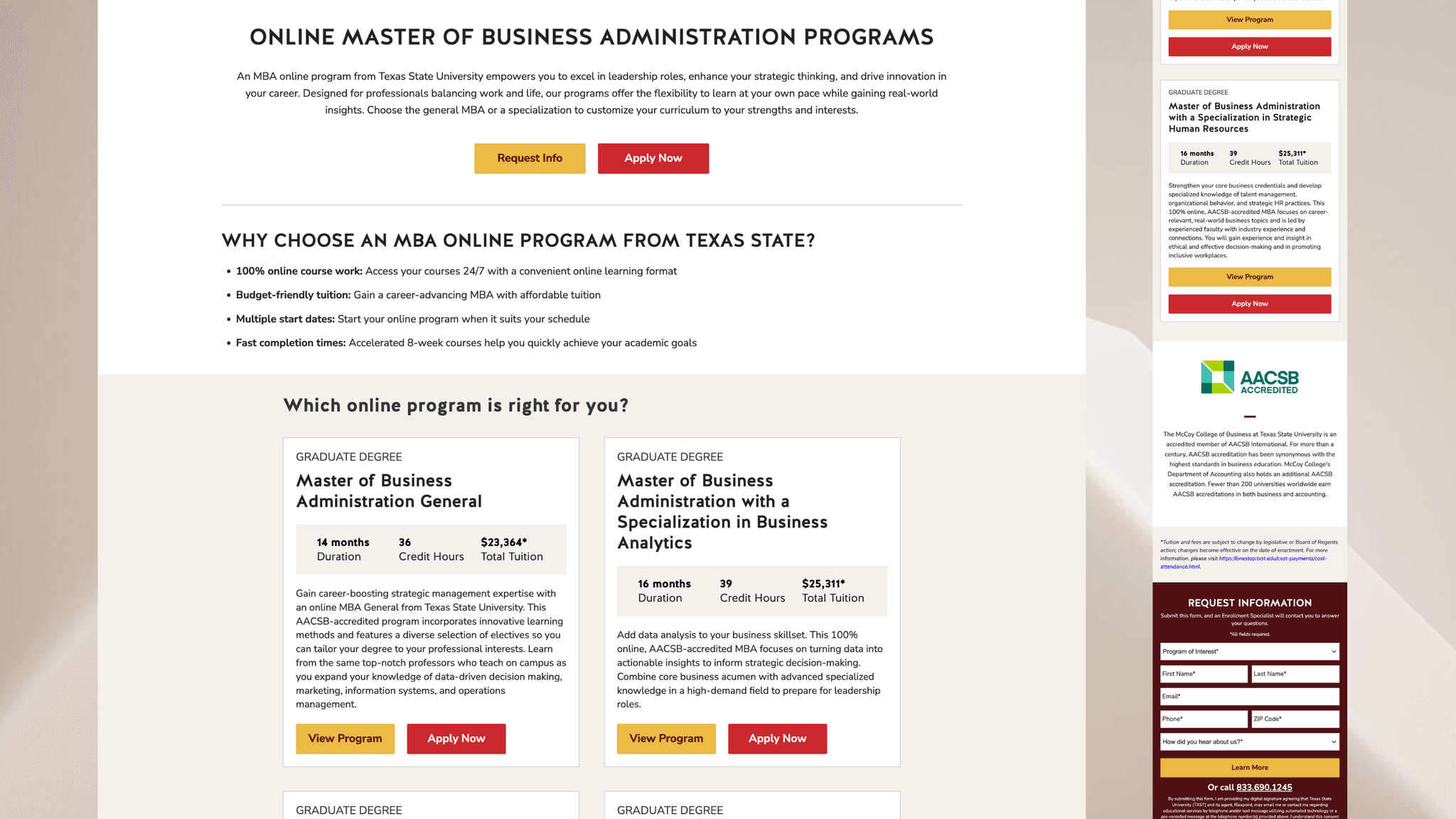
Landing Page & Form Design (View Site)
Showcases hero layout and CTA improvements.